Export WodPress URLs & Titles
Export WodPress URLs & Titles

Simplify the migration from WordPress to Shopify, Squarespace and other platforms by having a complete list of all WordPress URLs (links) and titles in a CSV file. It is also very useful during SEO audit and analysis.
This plugin is developed and maintained by Kaspars Dambis who is a WordPress core contributor and professional WordPress consultant since 2007.
Features
Export the URLs and titles of all:
- Posts, pages and custom post types
- Categories, tags and custom taxonomies
- Attachments, images, videos including the resized versions of all images
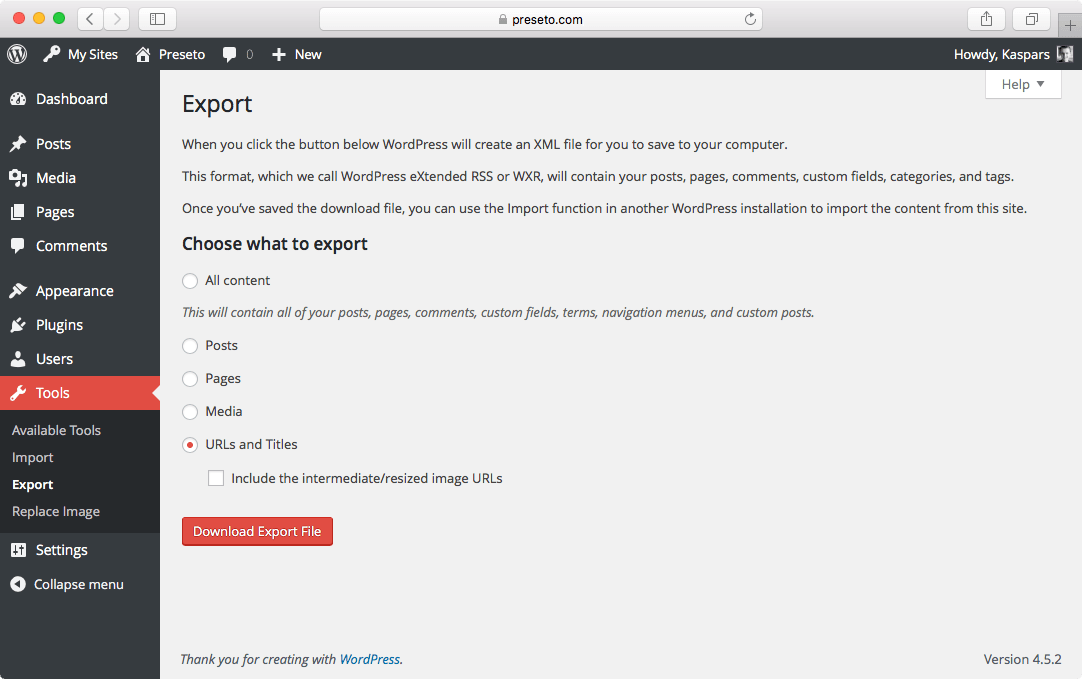 The URL and title export tool under “Tools ? Export” in WordPress dashboard.
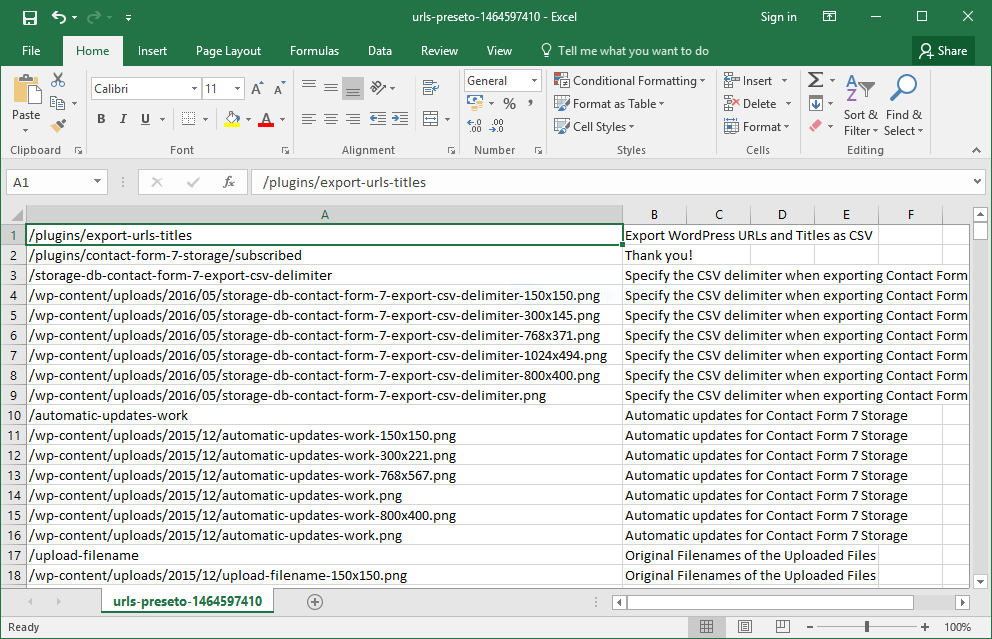 The exported URLs and titles in MS Excel.
Installation
- Select “Plugins ? Add New” from the menu in your WordPress dashboard.
- Select the “Upload” tab at the top of the page.
- Select the
preseto-export-urls.zipfile for the upload and click “Upload”. - Activate the plugin once it has been uploaded.
- Visit “Tools ? Export”, select “URLs and Titles” and click “Download Export File”.
Requirements
- Requires at least WordPress 3.2
- Tested up to WordPress 4.5.2
Screenshots
- Configure the export
- Export opened in MS Excel.
Support
Please use the dedicated support section on CodeCanyon.
Changelog
1.0.0 (May 30, 2016)
- First public release.
- Added the export configuration options.
0.1.0 (April 21, 2016)
- Initial release.
DEMO
OR
DOWNLOAD


Post a Comment
Post a Comment